Context Engineering for Marketers: Build an AI Brain That Helps
The common advice is to give AI as much context as possible. Too much of the wrong information makes it worse. Here is how I restructured my marketing repo around context engineering, with a starter folder, a short CLAUDE.md, a skill and an index you can copy.
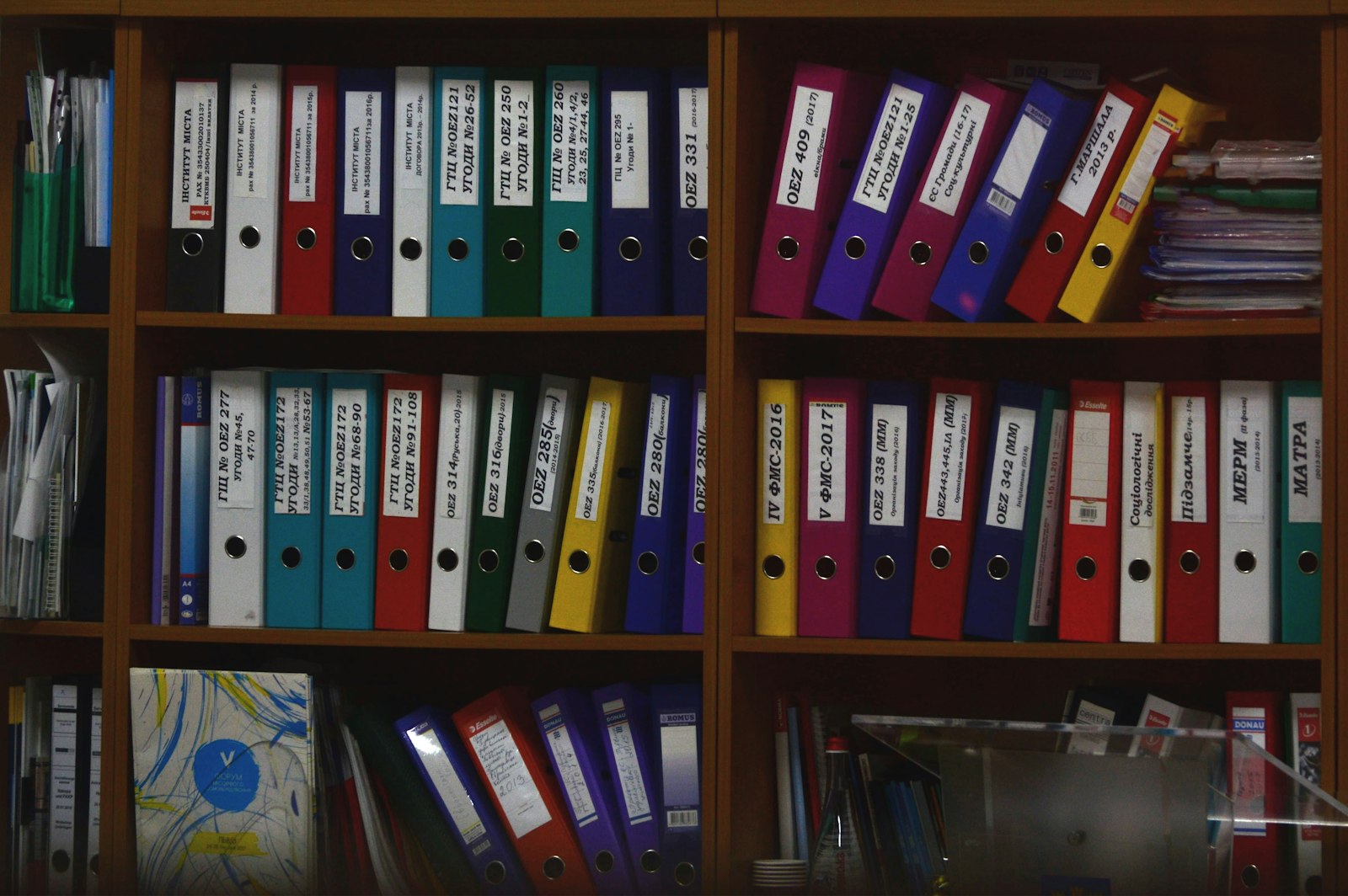
Everyone seems to be building a "digital brain" for AI right now. A second brain, a knowledge base, a repo full of company docs that Claude or ChatGPT can read. The advice that comes with it is nearly always the same: give the AI as much context as possible.
I had a brain like that, and I still found myself pasting things into every chat. A brain treated as a dumping ground for every doc you own doesn't make the AI smarter. Too much useless information makes it worse. What matters is giving it the right amount of information, structured in a way that's useful to the AI. That's context engineering.
This is Part 2 of a four-part series on working with Claude as a marketer:
- Git and GitHub for marketers: repos, commits, pull requests and Markdown from zero
- Context engineering for marketers: this post
- Every way to use Claude: chat, Projects, Cowork, Claude Code, Claude Design and Claude in Chrome
- Connecting GitHub to Claude: skills, connectors and not burning through tokens
If any of the terms below are new to you, keep my plain-words AI glossary open in another tab. It covers context windows, tokens, skills and agents.
What context engineering means in plain words
Every time you talk to Claude, it can only "see" a certain amount of text at once. That space is called the context window. Your message goes in it, along with the chat history, any files you've attached, project instructions and anything Claude has looked up. Text is measured in tokens, which are roughly chunks of words.
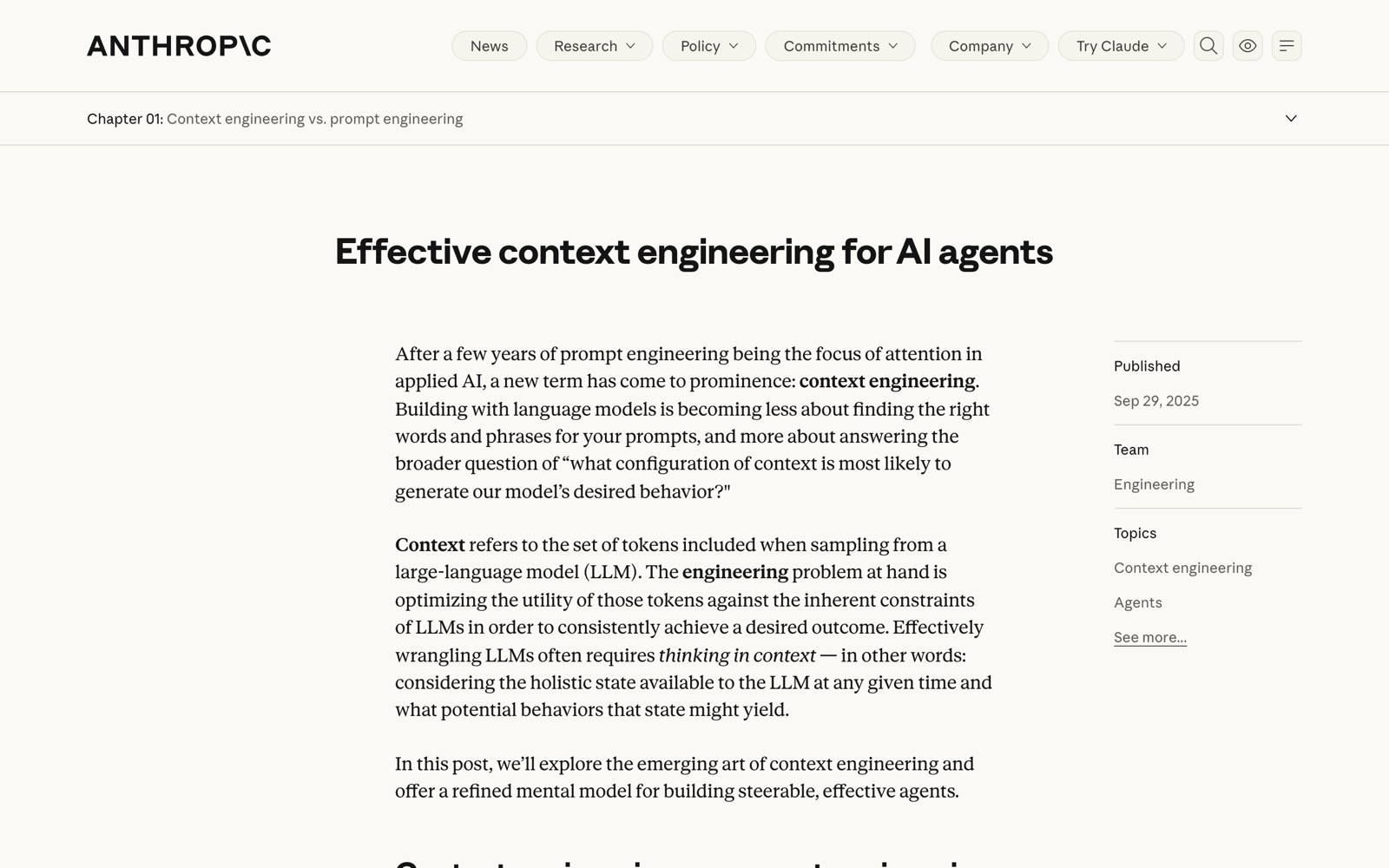
The context window is big, but it isn't free and it isn't perfect. Anthropic's engineering team wrote a whole piece on effective context engineering for AI agents, and two points from it matter most for marketers:
- Context is a finite resource with diminishing returns. Every extra token draws on what they call an "attention budget".
- As the context fills up, the model gets worse at recalling what's in it. They call this context rot.
Their goal for good context is "the smallest possible set of high-signal tokens" that gets you the outcome you want. In marketing language: a tight brief beats a 40-page dump.
So context engineering is the work of deciding what Claude sees, when it sees it, and in what shape. Prompt engineering is about the words in one message. Context engineering is about everything around that message.
What I learned from engineers in Warsaw
Earlier this year I went to the AI in Production meetup in Warsaw. I wanted to learn how engineers were restructuring their work for AI, because developers tend to hit these problems first and solve them more rigorously.
One talk was from a developer whose team uses Claude Code on a codebase of 6,440 files. They had restructured the whole repo around context engineering. Three lessons from that talk changed how I set up my own work.
1. Context is the lever
Switching to a newer or bigger model only gets you so far. Better context gets you better output on the first attempt. It also lowers token cost, because you spend less time re-prompting, correcting and asking again.
2. Scope every task
Claude shouldn't read all 6,440 files to fix one thing. The team routed it to the handful of files relevant to each task. For a marketer, that means a blog post task shouldn't pull in your event playbook, your pricing deck and last year's brand refresh.
3. Start a fresh chat for each task
Long threads pile up outdated instructions, corrections and noise. By message 40, Claude is working with the brief you gave it, the three versions you rejected, and a correction you made about something else entirely. A fresh chat starts clean.
Their setup
Each piece of their setup had its own job and its own moment of loading:
- CLAUDE.md, loaded every time: commands, conventions and hard rules. Kept short, but linking out to everything else.
- Skills, loaded only when relevant: recipes for repeated tasks. Each skill folder had references (the what and why), examples (past work and templates), scripts (things Claude runs rather than reads, or fill-in-the-blank briefs) and a spec (hard must and must-not rules, banned words, voice). The central skill file acts as the router.
- Memory: durable facts that don't change much, such as the team, products, competitors, approved quotes and brand.
- Wiki, loaded on demand: how things connect, such as a product map, org chart or campaign flow.
- A smart JSON index: a file that maps each task to the two or three files Claude should load for it.
They also had one simple rule. Resource folders don't reference each other. Only skills route, and links go one level deep. That stops Claude from following a chain of links and loading half the repo for a simple task.
How I adapted it for marketing
My work is briefs, decks, copy, PDFs and occasionally some code. Before this, I already had a repo acting as my brain, with my team's context in it. It wasn't structured in a way that helped Claude, so I kept pasting things into chats anyway. That's the clearest sign a brain isn't working.
Here's what I kept from the engineering setup:
- CLAUDE.md as a thin brand contract. British English, sentence case headings, no em dashes. I kept it short on purpose so it doesn't crowd out the task. Most of the rules were already written in our brand guidelines. I didn't invent new ones, I put them somewhere Claude reads first.
- Skills for blog posts, social posts, LinkedIn carousels and case studies.
- Clean, scoped folders, so each task only touches what it needs.
- A voice gate. Every draft gets checked against the tone and voice doc before I see it.
- Must and must-not rules in each skill's spec.
And here's what I skipped, because it was over-engineering for marketing work: a per-token cost dashboard, model gating, a dependency graph, parallel agent teams and anything to do with code architecture. Those make sense for a team shipping software across 6,440 files. For briefs and carousels they'd be more to maintain than they'd save.
The anatomy of a marketing brain
Here's each piece, what goes in it and when Claude loads it.
| File or folder | What goes in it | When it loads |
|---|---|---|
CLAUDE.md | Brand rules (spelling, casing, punctuation) and a short map of where things live | Every session |
index.json | Each common task mapped to the two or three files it needs | When Claude starts a task and checks where to look |
skills/ | One folder per repeated task: router file, references, examples, briefs, spec | Only when that task comes up |
memory.md | Durable facts: team, company facts, products, key brand info | When a task needs facts about the company |
wiki.md | How products, campaigns and workflows connect | On demand, for planning or cross-team work |
company/ | ICP, tone and voice, approved brand quotes | When a skill points to it |
products/ | One file per product or service line | When a task is about that product |
campaigns/ | Events, launches, partnerships | When a task is about that campaign |
assets/ | Logos and visuals | When a task needs a visual |
In Claude Code, CLAUDE.md is the file Claude reads at the start of every session. Anthropic's docs on how Claude remembers your project recommend keeping each CLAUDE.md under 200 lines, because longer files take up more context and Claude follows them less consistently. They also note that "the more specific and concise your instructions, the more consistently Claude follows them."
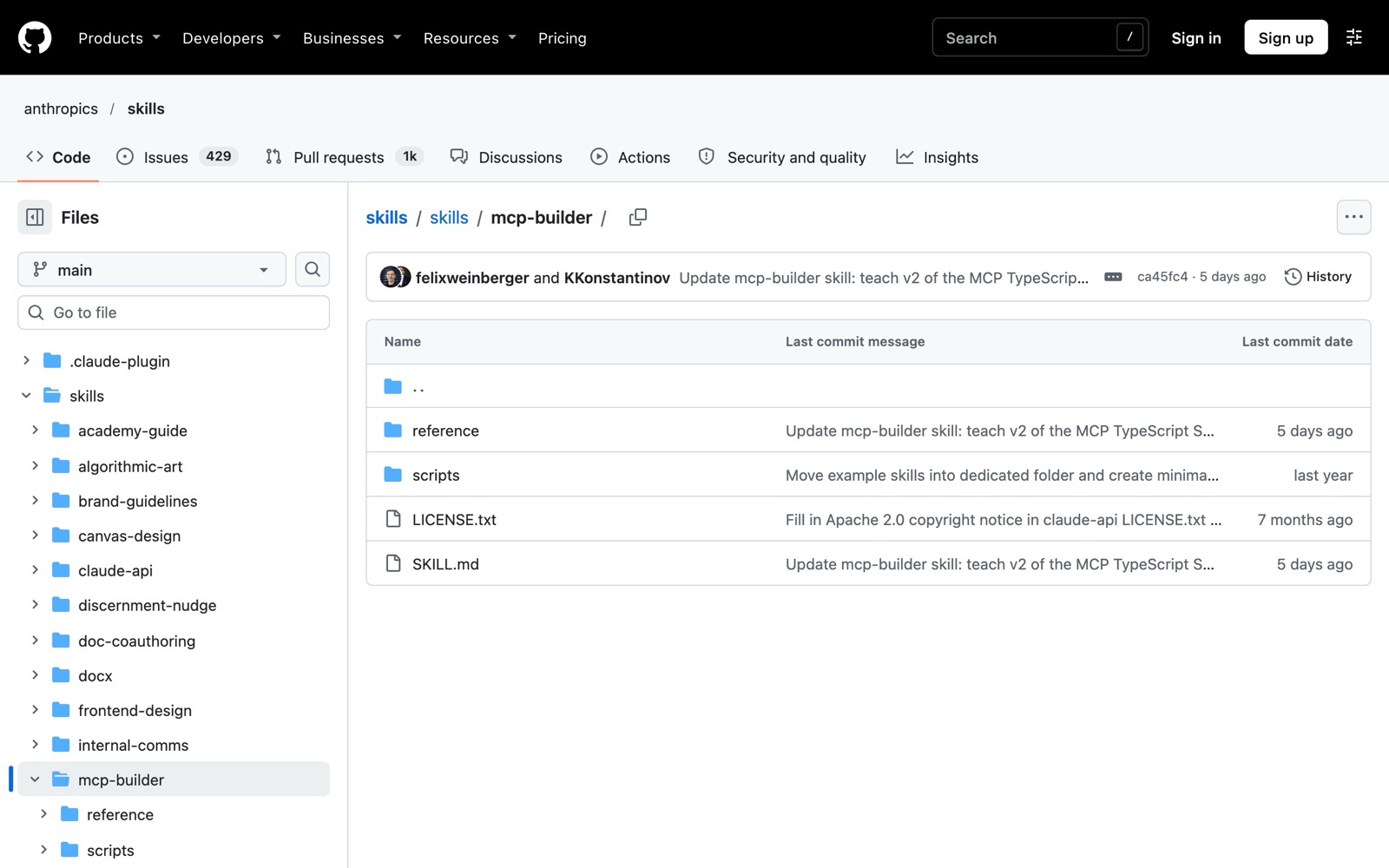
Agent Skills work the other way around. Claude only sees each skill's short description until the skill is needed, and then the full instructions load. The docs put it simply: a skill's body "loads only when it's used, so long reference material costs almost nothing until you need it." That's why your detailed brand guidance belongs in skills and folders, not in CLAUDE.md.
A starter folder you can copy
Here's my marketing repo layout, generalised so you can copy it. If you haven't made a repo before, Part 1 walks you through it.
marketing-brain/
├── CLAUDE.md              # brand rules + file map, always loaded
├── index.json             # task → the 2 or 3 files to load
├── memory.md              # team, company facts, key brand info
├── wiki.md                # how products, campaigns and workflows connect
├── company/
│   ├── icp.md             # who we sell to
│   ├── tone-and-voice.md  # how we sound
│   └── brand-quotes.md    # approved quotes and claims
├── products/
│   ├── consultancy.md
│   ├── training.md
│   └── product-line-3.md
├── campaigns/
│   ├── events/
│   ├── launches/
│   └── partnerships/
├── skills/
│   ├── blog-post/
│   ├── social-post/
│   ├── case-study/
│   └── linkedin-carousel/
└── assets/
    ├── logos/
    └── visuals/
Each file in company/, products/ and campaigns/ should make sense on its own. Don't write "see the training file for details" inside the consultancy file. If two things need to come together, a skill or the index brings them together.
A short example CLAUDE.md
This is the kind of thing I mean by a thin brand contract. It's for a made-up company, so swap in your own rules.
# Brightline marketing brain

## Brand rules (apply to every draft)
- British English (organise, colour, programme)
- Sentence case for all headings and buttons
- No em dashes. Use commas, full stops or brackets.
- Say "clients", never "customers"
- Never invent stats, quotes or client names. Ask me instead.

## Before you start a task
1. Check `index.json` for the files this task needs
2. Load only those files
3. If a skill exists for the task, follow its SKILL.md

## Where things live
- Company facts and team: `memory.md`
- Tone and voice: `company/tone-and-voice.md`
- Products: `products/`
- Campaigns: `campaigns/`
- Repeated tasks: `skills/`

## When you finish
Check the draft against `company/tone-and-voice.md` and list anything that breaks it.
One detail worth knowing: in Claude Code, writing a path with an @ in front of it (like @company/tone-and-voice.md) imports that whole file into every session. That defeats the point of a thin CLAUDE.md. Write paths in backticks instead, so Claude knows where to look without loading everything up front.
An example skill folder
Here's my LinkedIn carousel skill, in the shape the engineering team used.
skills/linkedin-carousel/
├── SKILL.md             # the router: when to use this, steps, what to load
├── references/
│   └── why-carousels.md # who they're for and what a good one does
├── examples/
│   ├── carousel-1.md    # published carousels to match
│   └── carousel-2.md
├── briefs/
│   └── blank-brief.md   # fill-in-the-blank brief for each new carousel
└── spec.md              # must and must-not rules, banned words, voice
The SKILL.md is short. It tells Claude when the skill applies, which files in the folder to read, and in what order to work. The spec holds the hard rules: slide count, character limits per slide, banned words, and a reminder to check against the tone and voice doc. The examples matter most, because Claude copies the shape of good work far better than it follows a description of good work.
My case study skill follows the same pattern. Its examples folder has a recently published case study, alongside a template and our brand guidelines. When I ask for a new case study, Claude has a finished one to match, a structure to fill and rules to follow, and nothing else.
Anthropic's skills documentation uses nearly the same structure: a required SKILL.md for overview and navigation, extra reference and example files that load when needed, and scripts that get run rather than read. It also suggests keeping SKILL.md under 500 lines and moving detail into separate files.
An example smart index
The index is the piece most marketers skip, and it's the one that keeps Claude from wandering. It's a plain JSON file that says, for each task, which files to load.
{
  "blog-post": {
    "skill": "skills/blog-post/SKILL.md",
    "load": ["company/tone-and-voice.md", "company/icp.md"]
  },
  "linkedin-carousel": {
    "skill": "skills/linkedin-carousel/SKILL.md",
    "load": ["company/tone-and-voice.md"]
  },
  "case-study": {
    "skill": "skills/case-study/SKILL.md",
    "load": ["company/brand-quotes.md", "products/consultancy.md"]
  },
  "event-promo": {
    "skill": "skills/social-post/SKILL.md",
    "load": ["campaigns/events/", "company/tone-and-voice.md"]
  }
}
You don't need anything clever here. If a task needs more than three files, that's usually a sign the files themselves need tidying.
What to leave out

This is where most second brains go wrong. Here's what I'd keep out of yours, or move to an archive Claude never touches:
- Every old deck. Five years of pitch decks teach Claude five versions of your positioning. Keep the current one.
- Raw meeting transcripts. They're long, full of tangents and half-decisions. Write up the decision in a line or two and file that instead.
- Outdated positioning. If you've changed how you describe a product, delete the old description. Claude can't tell which one is current unless you tell it.
- Duplicate versions.
brand-guide-v2-final-FINAL.pdfnext tobrand-guide-v3.pdfis a coin toss for Claude. - Anything sensitive. Contracts, client data and API keys stay out entirely. My post on AI agent safety for marketers has a full list of what to keep out of an agent's folder.
Habits that keep the brain useful
The structure only helps if the way you work matches it. These are the habits I've settled on.
One brain, one source of truth
Keep one brain for one team. If the brand rules live in the repo, a Google Doc and someone's Notion page, Claude will eventually find the wrong one, and so will your colleagues.
Fresh chat per task
Don't mix a blog post, a social post and a case study in one chat. Claude starts blending them: the case study picks up the blog's tone, and the social post borrows a stat from the case study. One task, one chat.
Name the skill or folder in your prompt
"Use the LinkedIn carousel skill to turn this blog post into a carousel" works far better than "make a carousel from this". Naming the skill tells Claude exactly where to start. In Claude Code you can also call a skill directly by typing a slash and its name.
Replace and remove, don't pile on
When a product changes, edit its file. When a campaign ends, archive it. A brain that only grows will slowly fill with contradictions.
Put standing rules where they always apply
Your voice and spelling rules shouldn't be repeated in every message. In Claude Code they go in CLAUDE.md. In the Claude app, they go in project instructions, which Claude applies to every chat inside that project.
What changed for me
Since restructuring, my first drafts are closer to what I want. I spend far less time on what marketers call prompt jockeying: bargaining with Claude over the same corrections again and again. Claude uses our approved brand language, and I don't re-explain context at the start of every session.
The brain is also useful without Claude. The skills are written for a reader, so anyone on the team can open the carousel skill and follow it by hand. A colleague started calling them recipes, which is a good description of what they are.
If you want to see how this fits into a bigger content operation, I wrote about my agentic content marketing workflow, which runs on the same kind of structure.
Up next
A well-structured brain still has to be used somewhere. Claude now comes in a lot of shapes: chat, Projects, Cowork, scheduled tasks, Claude Code on desktop and in the terminal, Claude Design and Claude in Chrome. In Part 3: every way to use Claude, I walk through each one, what it's good for, and which of them can read the brain you've just built.
Photos on Unsplash: cover by Viktor Talashuk, paper stacks by Wesley Tingey. Screenshots are my own, taken from anthropic.com and github.com in November 2026.